
NexusFor service teams

Run your service business
from one connected workspace.

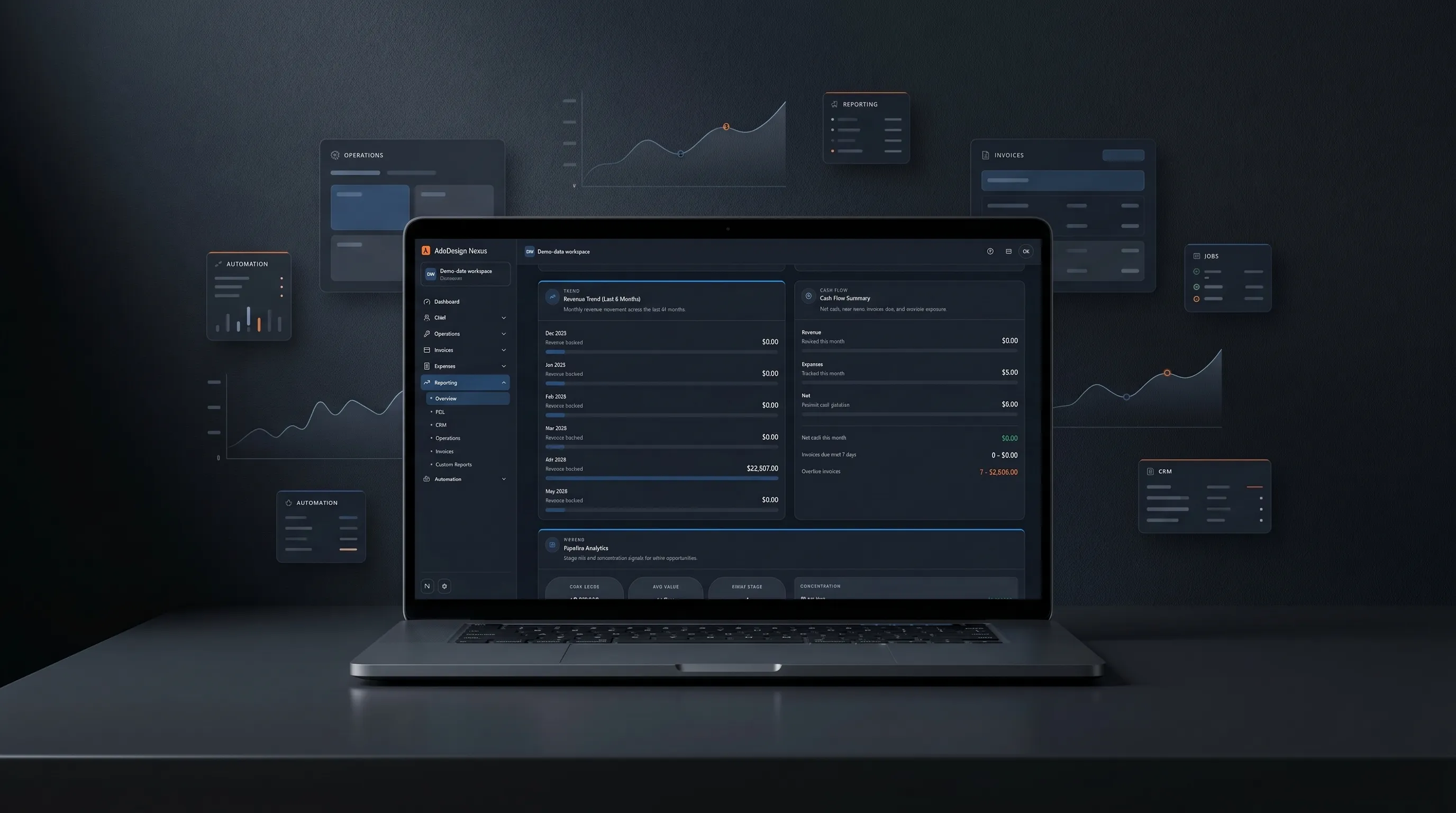
AdōDesign Nexus centralizes leads, contacts, estimates, work orders, scheduling, invoicing, payments, expenses, reporting, and automation so office teams can move faster, stay organized, and keep every job connected from first call to final payment.

14-day free trialNo credit cardBuilt for service teams

What Nexus connects

A connected operations platform
for service companies.

AdōDesign Nexus brings CRM, estimates, invoices, payments, work orders, scheduling, expenses, reporting, automation, and admin controls into one organized workspace. Instead of jumping between disconnected tools, teams can manage the full customer flow, track operational work, monitor business performance, and keep records consistent across the company.

  • 01

    CRM and contacts

    Customer records, accounts, and conversations in one place.

  • 02

    Leads and follow-ups

    Capture inbound work and keep the next step visible.

  • 03

    Estimates

    Quote, send, and convert from the customer record.

  • 04

    Work orders

    Track jobs from assignment through completion.

  • 05

    Scheduling

    Calendars, dispatch, and team assignments with live status.

  • 06

    Invoices

    Billing tied to the work that created it.

  • 07

    Payments

    Payment status and follow-through alongside the invoice.

  • 08

    Expenses

    Field and office expenses on the same ledger.

  • 09

    Reporting

    Operational and financial reads from one data layer.

  • 10

    Automation

    Quiet workflows for repetitive handoffs and reminders.

  • 11

    Admin controls

    Users, roles, permissions, and workspace settings.

The customer flow

From first call
to final payment.

Nexus keeps the customer journey connected from lead capture to estimate, scheduled work, invoice, payment, and reporting. Office teams can see what is happening without chasing updates across separate tools.

  1. 01

    Capture lead

  2. 02

    Create estimate

  3. 03

    Schedule work

  4. 04

    Manage work order

  5. 05

    Send invoice

  6. 06

    Collect payment

  7. 07

    Track performance

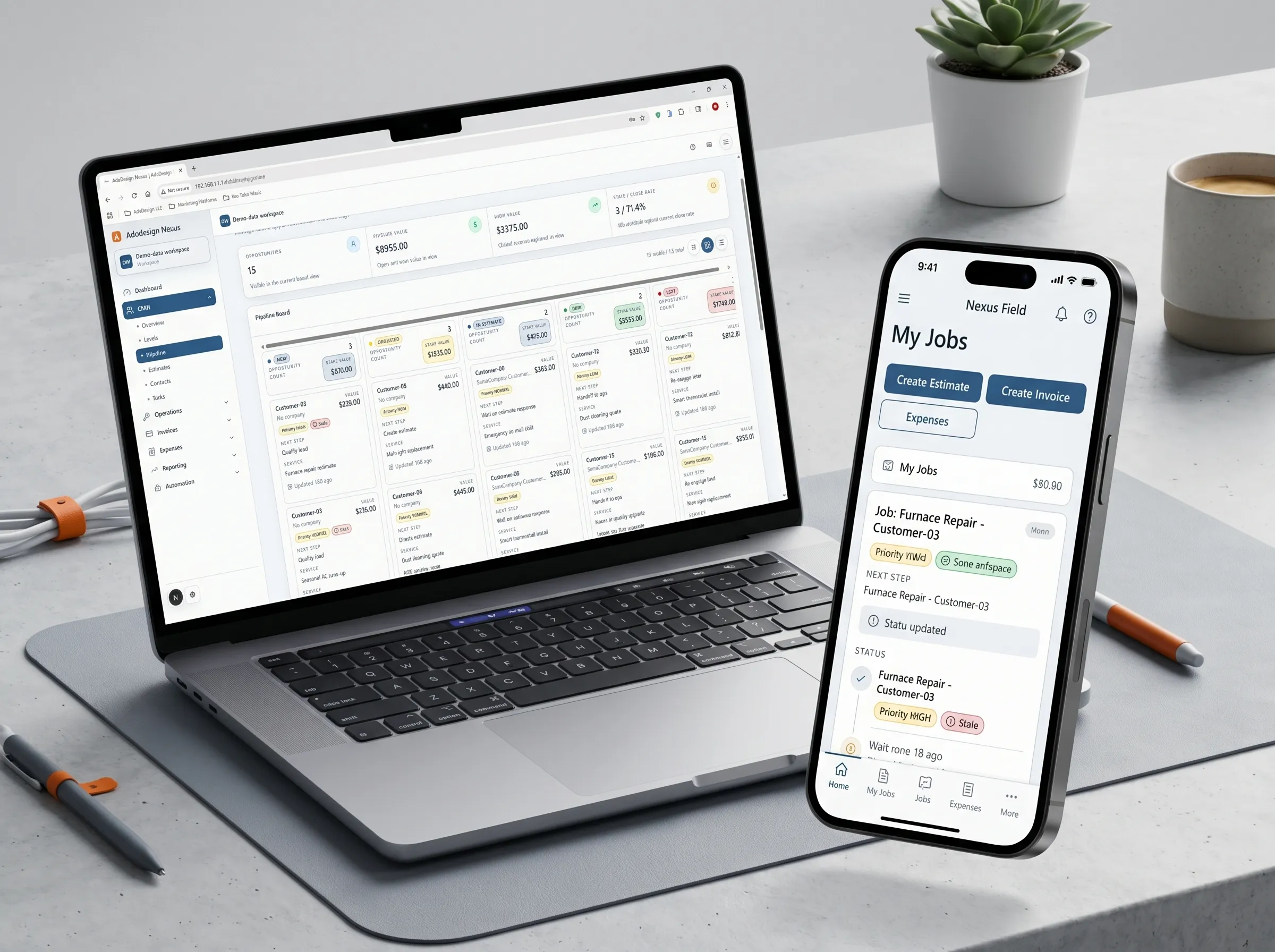
Nexus CRM workspace — pipeline and estimate detail
Nexus CRM · Back office

The full workspace
for office teams.

Nexus gives owners, administrators, dispatchers, and office teams the full operating view: customers, jobs, estimates, schedules, invoices, payments, expenses, reports, automations, users, and permissions.

  • Customer and contact records

  • Lead and estimate tracking

  • Work order management

  • Scheduling and dispatch visibility

  • Invoice and payment tracking

  • Expense records

  • Business reporting

  • Automation and admin controls

Nexus Field mobile app — job details and service checklist
Nexus Field · Mobile companion

Nexus Field
for crews on the move.

The mobile field workspace for Nexus CRM crews.

Nexus Field is the mobile companion to Nexus CRM, built for crews working outside the office. It gives technicians and field leads a focused mobile view of their assigned work, with fast tools for job updates, estimates, invoices, and expenses — all connected to live Nexus CRM data.

Unlike the full CRM, Nexus Field is intentionally streamlined. Field users can open assigned work orders, update job status, adjust site details, record notes, create job-ready estimates, send invoices, and log field expenses without navigating the full back-office system.

  • Assigned work order queue

    Crews see only what's theirs to do today.

  • Job status and site updates

    Update status and site details from the job.

  • Mobile estimate creation

    Quote on-site without opening the back office.

  • Field invoice creation

    Generate and send invoices from the job address.

  • Quick expense posting

    Log materials, fuel, and field costs as they happen.

  • Notes and documentation

    Capture job notes and details for the office record.

  • Live sync with Nexus CRM

    Field updates write back to the shared workspace.

  • Role-conscious access

    Crews and managers see only what their role needs.

Office and field together

Office control. Field execution.
One connected system.

Dispatchers and administrators keep using the full Nexus workspace, while field users get a fast mobile interface designed around execution, not administration. Updates made in the field stay synchronized with office workflows so jobs, billing, and records stay connected.

Back office

Nexus CRM

For office, admin, owners, dispatchers, and managers.

Includes CRM, estimates, invoices, scheduling, reporting, automation, and admin controls.

Workspace viewLive sync
Pipeline8 active leads
Schedule4 jobs today
Billing$5.8k open
  • Full workspace and module access
  • Customer, contact, and account records
  • Reporting and admin controls
  • Automation and workflow setup
Mobile companion

Nexus Field

For technicians, installers, contractors, and field leads.

Includes assigned work, job updates, notes, estimates, invoices, expenses, and live sync.

Field viewOn site
Assigned jobKitchen install
Next actionAdd invoice
Sync statusUpdated
  • Focused mobile view of assigned work
  • Job-ready estimates and invoices
  • Field expense and notes capture
  • Live sync back to Nexus CRM

Nexus Field helps crews finish jobs, document work, and keep billing moving from the field — without giving them the complexity of the full CRM.

Reporting, automation, admin

The operating layer
behind the work.

The administrative side of Nexus is built around real operational signals — clean reads, quiet automations, and role-based access that scales with the team.

  • Live reads

    Reporting

    Operational and financial reads from one shared layer — revenue, jobs, billing, expenses, and pipeline health.

    Revenue
    Jobs
    Pipeline
    • Operational dashboards
    • Financial visibility
    • Pipeline health
  • Most used
    Workflow engine

    Automation

    Lightweight automations for repetitive handoffs — status nudges, follow-ups, and reminders the team would otherwise chase manually.

    Follow-up
    Reminder
    Status
    • Task handoffs
    • Scheduled reminders
    • Billing nudges
  • Access control

    Admin controls

    User roles, permissions, workspace settings, and access scopes that match how your business is structured.

    Roles
    Teams
    Scopes
    • Role permissions
    • Workspace settings
    • Controlled access

A look inside Nexus

See the workspace
section by section.

A quick tour through the Nexus interface — CRM, estimates, scheduling, invoicing, reporting, and the everyday views office and field teams actually live in.

Nexus dashboard, marketing workspace, and field work queue across devices
01 / 04
Slide 1 of 4

Nexus pricing

Pick your plan.

Compare plans for your team size, workflow, and monthly usage. Office and Field share the same workspace.

Switch to annual and save ~17%

Nexus Field is included on every plan with no separate per-technician fee. Workspace user limits still apply. AI credits and SMS allowances reset monthly; AI use also has input and output limits.

Starter

Best for solo operators

$29/mo

Includes 1 user

For the solo operator.

  • CRM, quotes, invoicing & payments

  • AI bank-statement expense import

  • 300 AI credits + 50 SMS/mo

  • 1 user included

Growing teams

Business

Best for active service operations

$139/mo

Includes 10 users

For established operations.

  • Everything in Professional

  • Up to 15 active automations

  • 5,000 AI credits + 750 SMS/mo

  • Up to 10 users included

Scale

Best for larger teams

$20/user/mo

Per-user · starts at 11 seats

For multi-crew companies.

  • Everything in Business, per seat

  • Scales past 10 users, no caps

  • 800 AI credits + 100 SMS per user/mo

  • Unlimited automation

Full breakdown

Compare the plans.

Compare modules and monthly allowances. Choose your paid plan in Nexus after the trial.

Platform

Users included

Starter
1
Professional
5
Business
10
Scale
11+

CRM

Starter
Yes
Professional
Yes
Business
Yes
Scale
Yes

Invoicing

Starter
Yes
Professional
Yes
Business
Yes
Scale
Yes

Expenses

Starter
Yes
Professional
Yes
Business
Yes
Scale
Yes

Reporting

Starter
No
Professional
Yes
Business
Yes
Scale
Yes

Operations

Starter
No
Professional
Yes
Business
Yes
Scale
Yes

Automation & Usage

Automation access

Starter
None
Professional
Full
Business
Full
Scale
Full

Active automations

Starter
0
Professional
10
Business
15
Scale
Unlimited

AI credits

Starter
300/mo
Professional
1,500/mo
Business
5,000/mo
Scale
800/seat/mo

SMS credits

Starter
50/mo
Professional
250/mo
Business
750/mo
Scale
100/seat/mo

Support & Rollout

Unlimited invoices

Starter
Yes
Professional
Yes
Business
Yes
Scale
Yes

Unlimited contacts

Starter
Yes
Professional
Yes
Business
Yes
Scale
Yes

Best fit

Starter
Solo
Professional
Growing teams
Business
Active operations
Scale
Larger orgs

Who it's for

Built for service businesses
that need office and field aligned.

  • Fit 01

    Field service teams

    Mobile crews running customer work in the field.

    Office + field workflow
  • Fit 02

    Contractors

    Trades and project teams quoting and billing service work.

    Office + field workflow
  • Fit 03

    Dispatch-driven crews

    Dispatch coordinating field assignments and live status.

    Office + field workflow
  • Fit 04

    Technicians

    Service technicians completing assigned work with mobile tools.

    Office + field workflow
  • Fit 05

    Field supervisors

    Field leads tracking crew progress and on-site quality.

    Office + field workflow
  • Fit 06

    Service businesses

    Office and field teams running jobs together.

    Office + field workflow

[Get started·Nexus]

Ready to connect
your office and field operations?

Start with Nexus or request a guided demo to see how the CRM and field workspace can fit your service workflow.

14-day free trialNo credit cardBuilt for service teams